

Garmin published a Beyond the Basics walkthrough for the CIRQA Smart Band — about 26 minutes covering setup, Garmin Connect, sleep, Body Battery, and how activities actually work without a screen. Here are the useful details.
Setup and Hardware
Press the on-device button once out of the box to enter pairing mode (magenta LED), then finish pairing in Garmin Connect. Garmin recommends charging before first use.
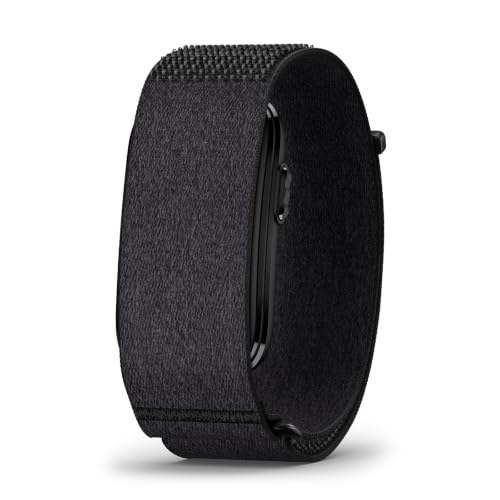
The band is woven nylon ComfortFit fabric — stretchy, sheds water, quick-release swaps. The module uses Elevate Gen 4 with skin temperature, has the activity button, and no onboard GPS (phone connected GPS for outdoor tracks). Wrist or upper arm wear is supported.
Pulse Ox Is Off by Default
In the sleep deep-dive, Garmin notes that Pulse Ox / breathing variations is off by default on CIRQA because it affects battery life. Turn it on in Connect if you want overnight breathing-disturbance insights. Skin temperature and breathing features also need about three days to build a baseline before they show useful data.

Three Ways to Record Activities
- Auto-detect — during setup you pick activities you do often; the system learns when you confirm or correct detections (e.g. pickleball vs tennis).
- On-device button — starts your predefined favorite (or a generic “timed activity” you label later). Set this under activity options in Connect. You can also choose wrist vs upper-arm wear and whether phone GPS is on for that favorite.
- Start from Garmin Connect — the + button → Record activity, with 80+ activity types.
Strength tip from the video: for rep counting, wear the band with the button pointing toward your hand.

Pause / discard still lives in the app; pressing the button again after a start generally saves/stops the session (same idea as our earlier button guide).
Connect Without a Screen
The walkthrough spends a lot of time in Connect: Sleep Coach, Body Battery, Training Readiness, HRV Status, and Training Status. Connect+ adds Active Intelligence insights and live graphs during some activities.
The clearest Connect-side addition called out in the video is Essentials. Garmin describes it as easy, glanceable access to the top stats you want to see each day — a customizable strip of cards at the top of the home screen (sleep score, Body Battery, intensity minutes, HRV Status, and so on), with a quick tap to dive into any metric. You can rearrange those cards in Home settings, and optionally add larger In Focus cards as well.

Other settings called out:
- Smart Wake alarms — the band’s haptic motor gently vibrates to wake you; can wake earlier in a lighter stage, but never later than the set time
- Double-tap for battery status via the LED (if enabled in Power Manager)
- Find My Band — map location while connected, plus vibrate-to-locate
- Bedtime / sleep-score-ready / goal / hourly alerts (goal and hourly alerts also vibrate on the band)
- LiveTrack for trusted contacts when you start activities




No phone alerts ….
I agree……no idea why they didnt add support for calls and text alerts
its aimed at people that want to digi detox really – work out now – view later and not get to caught up in the ping ping overload – your phone vibrates / pings – that should be enough really – I like this take from Garmin – granted I know if you want it you can have it and if not just turn it off – but also all them little vibrations will hit battery life too.
I knew somebody would write a comment like that. Unless you are getting spammed by calls and messages all day long, the battery wouldn´t be affected that much TBH.
Beside the point is that I as an owner should be able make my own choice in regards to getting notifications or not, and be the decision amker about if I can accept the battery loss ;-)
It just crossed my mind that there would be a huge disadvantage in regards to getting call/ text notifications on such a device. Usually I can take a quick glance at my watch and decide if it is something that needs my attention or not. With a device without any screen I would for sure be picking up my phone – sometimes in vain I guess.
I would still love to have the option available, but I also see the downside now.
full agee it should be a choice but if your phone is pinging / vibrating why do you need a second device to do this too when you cant view the msg on the device – unlike a watch you can see that its an email / txt or a device notification such as low battery etc – now with a screenless device you get a vibration – what is it for ? is it to say its low on battery or you have anormal HR or is it to know you have a TikTok post ? How would you know – yes they could do 2 buzz for email 3 for text 100 for abnormal HR – seems a bit much really
But maybe I am just the target audience for this device that wants to move away from constant control by the digital world and be more present in the old ways with a cool non smart watch on one wrist and a fitness tracker on the other. As much as I love my Fenix 8 – I love having it on mute or not on at all so I can enjoy my other watches too.
Yeah, I agree. Not really using social media a lot and always have my devices on silent so initially I was looking for some feature to buzz me when a call comes in.
The Fenix 8 is a fantastic watch, but I just want the data not the screen if that makes sense ( but still have my call notifications) 😂
I guess the perfect devices will never exist. I will most likely end up trying the CIRQA no matter what