

Garmin has released beta version System Software 20.15 for the Fenix 8 and Fenix 8 Pro watch models. This stable update provides a few fixes and new features.
Below is a timeline of all Fenix 8 Updates:
For all Fenix 8 updates, see our software updates page.
Change Log
- Miscellaneous bug fixes and improvements.
- (Pro Only) Added “LTE Standby” pop up in an activity when LTE is disabled automatically for power savings.
- (Pro Only) Added a spinner to the Messenger conversation list when a message in the conversation is still sending.
- (Pro Only) Added ability to react to Messenger messages with any reaction using the emoji keyboard.
- (Pro Only) Added an activity data field option for LTE signal strength.
- (Pro Only) Added an Image Viewer for pictures received through Messenger For Wearables, which allows users to pan and zoom images.
- (Pro Only) Fixed issue where “Unlink” option in Messenger would display when the device is already unlinked.
- (Pro Only) Fixed issue where a Messenger notification could push on top of the Preparing Update page.
- (Pro Only) Fixed issue where a Messenger voice message could record longer than 30 seconds.
- (Pro Only) Fixed issue where a Messenger voice message would not start recording immediately.
- (Pro Only) Fixed issue where Messenger Calls would not show disconnected from phone when there is no active subscription.
- (Pro Only) Fixed issue with “Auto LTE Standby” pop up displaying when disabling LTE.
- (Pro Only) Fixed possible crash when exiting Messenger app.
- (Pro Only) Fixed possible issue where a Messenger call would not transfer to headphones.
- (Pro Only) Fixed possible issue where Auto LTE would not disable when an internet connection through a paired phone is restored.
- (Pro Only) Fixed possible issue where LTE & Satellite Status could unexpectedly show “Disabled.”
- (Pro Only) Fixed possible issue where LTE quick control would show “Using Phone” when no phone is connected.
- (Pro Only) Fixed possible issue where the cancel button on the “Use Satellite/Keep Trying LTE” prompt would not immediately cancel messages.
- (Pro Only) Fixed possible issue where the Messenger Calls timer does not start at 0:00.
- (Pro Only) Improved ability to select the voice message icon when replying to a Messenger message.
- (Pro Only) Improved Messenger Calls when there are no saved contacts to prompt the user to open the Messenger mobile app and add contacts.
- (Pro Only) Improved sizing of the satellite icon on the compass page on the NTN pointer.
- (Pro Only) Improved snapping of the NTN satellite bubble in and out of target circle on the NTN pointer.
- (Pro Only) Removed possible pop ups which could appear over a SOS conversation thread (touch lock icon, activity stopped border, etc.)
How to Update
You can manually download the update from your device by navigating to: Main Menu > Settings > System > Software Update > Check For Updates.
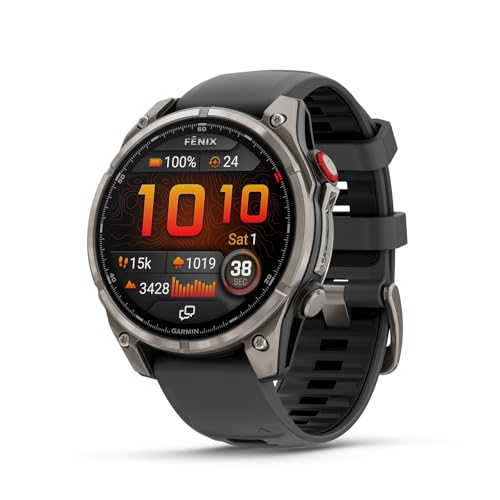
Garmin Fenix 8 Pro AMOLED (47mm)
47mm Pro model with LTE + two-way satellite messaging, 1.4-inch AMOLED display, titanium bezel, sapphire lens, dive support, and full multisport + mapping features.
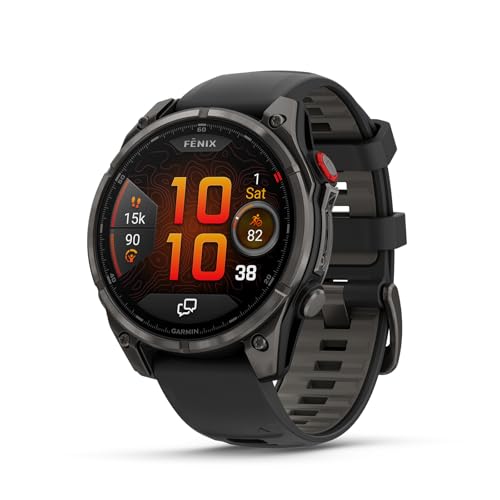
Garmin Fenix 8 Pro AMOLED (51mm)
51mm Pro model with larger battery, LTE + satellite connectivity, 1.4-inch AMOLED display, titanium bezel, sapphire lens, and advanced training + navigation tools.


This is for all F8 Series models ;-)