

Garmin has released stable System Software 20.19 for the Fenix 8, Fenix 8 Pro, Fenix 8 Solar, Enduro 3, Fenix E, and Tactix 8 watch models. This stable update provides a few fixes and new features.
Below is a timeline of all Fenix 8 Updates:
For all Fenix 8 updates, see our software updates page.
Change Log
- Added Health Status – adds a glance that tracks health data changes and overall wellbeing.
- Added Real-Time Weather updates and wind improvements.
- Added GroupRide and Data Comparisons – shows rider data compared to the group average.
- Added Power Guide and Power Guide Altitude Acclimation for cycling.
- Added Gear Ratio Analysis – shows time spent in each gear ratio.
- Added automatic Touch Lock unlock if Touch is on for Strength reps screen.
- Added Cycling Vo2 Max Watch Face Complication.
- Added Shortcut support for the Calculator.
- Added improvements to sensor lost experience.
- Added Inline Skating compatibility for custom workouts.
- Added support for GPI Files.
- Added touch access to Keyboard layout menu via drag.
- Fixed accessing activity status menu with buttons during activity.
- Fixed altitude appearing as jumpy at high altitudes.
- Fixed an issue where the month in the date on the watch face was not being properly translated.
- Fixed auto triggered setting not correctly restoring after Backup and Restore.
- Fixed being unable to see headset details once connected.
- Fixed black screen after tapping back button from the music screen during an activity.
- Fixed Calls being answered when gesturing or tapping anywhere on screen.
- Fixed choosing Walk in multisport workout custom option causing other activity types to disappear.
- Fixed CIQ Watch Face Timeout Not Matching System Setting.
- Fixed Controls Menu Not Updating When Phone Connection Is Lost.
- Fixed course points and ClimbPro not showing after resuming an activity when navigating.
- Fixed crash when using headphone controls to adjust music playback.
- Fixed crash when switching CIQ music provider.
- Fixed device showing Storm Alerts when swimming.
- Fixed Down key not dismissing Training Alerts during activities.
- Fixed Flashlight Strobe not stopping after pausing activity.
- Fixed folder Glance preview units not updating when folder contents change.
- Fixed headphones not disconnecting when using ECG.
- Fixed inconsistent Metronome timing.
- Fixed incorrect text on the Moon glance.
- Fixed Indoor Climb activity not locking buttons when in an active split.
- Fixed lag caused by the Health Snapshot glance.
- Fixed lag when starting an activity.
- Fixed lag when swiping on the Morning Report greeting page.
- Fixed maximum active timers message showing when starting timer.
- Fixed Meditation activity button behavior.
- Fixed missing hint indicator on the ECG about page.
- Fixed MIP backlight not turning off after using Weixin Pay.
- Fixed MIP background color not updating when updated on the navigation course details and elevation plot pages.
- Fixed Morning Report Showing Old All-Day Events.
- Fixed Multisport Activity Ending When Switching to Strength.
- Fixed Muting Swim Pacing Alert Not Working.
- Fixed Outdoor Maps Plus download map menu showing a black screen.
- Fixed Outdoor Maps Plus layer selection page not pulling in location until the map is shown.
- Fixed POI Search Showing as City Search in the Add Location Menu.
- Fixed Possible Crash When Editing Activity Focus Mode Display Settings.
- Fixed Reordering and Removing the First Data Screen of a Hunt Activity.
- Fixed Run Coach Plan with Strength Workouts Not Marking Completed Strength Workouts as Completed in the Plan Details.
- Fixed Running Performance Glance Showing Wrong VO2 Max.
- Fixed Screen Turning Off When Doing a Down Gesture When Recording ECG.
- Fixed Smart Notifications not working when connected to Android devices.
- Fixed straight line route created when creating a course using locations on the map menu.
- Fixed the battery icon being cut off on the Enduro 2 watch face.
- Fixed the inReach glance not automatically adding after pairing with an inReach Device.
- Fixed Tide alerts going off during Sleep window.
- Fixed Total Body Circuit 5 Workout Showing the Wrong Rep Count.
- Fixed Touch Lock control not toggling when Do Not Disturb is on.
- Fixed Touch Screen remaining on during a Swim Activity as a part of a multisport activity.
- Fixed track color not following setting.
- Fixed vibration and tone setting missing from devices without a speaker.
- Fixed Voice Alert Frequency settings not working.
- Fixed Voice not stopping when adjusting volume.
- Fixed Wallet Pin Timeout Screen Allowing Users to Bypass Timer.
- Fixed Watch Face Battery Field to Update Faster When the Flashlight Is Turned On.
- Fixed Watch Face Calendar Complication Showing Events from the Wrong Day.
- Fixed weather icons on MIP watch faces not showing night icons at night.
- Fixed Workout steps possibly showing the wrong equipment.
- Fixed WX Radar shortcut not working for Tactix.
- Improved watch face selection menu scrolling.
- Removed the ability to wrap from 0 to 999 in the Strength reps menu.
- Removed the ability to wrap from the top of the activity pause menu to the bottom.
- Updated Activity Stage Menu Highlight Color to Match the Activity Type.
- Updated Flashlight Indicator to Turn Off as Soon as the Light Turns Off.
- Updated Multisport Activities to Allow Long Hold on the Lap Key to Change the Sport.
- Updated the Navigation Preview Page to Show the Total Distance Remaining on the Course.
- (Pro Only) Added “LTE Standby” pop up in an activity when LTE is disabled automatically for power savings.
- (Pro Only) Added a spinner to the Messenger conversation list when a message in the conversation is still sending.
- (Pro Only) Added ability to react to Messenger messages with any reaction using the emoji keyboard.
- (Pro Only) Added an activity data field option for LTE signal strength.
- (Pro Only) Added an Image Viewer for pictures received through Messenger For Wearables, which allows users to pan and zoom images.
- (Pro Only) Fixed issue where “Unlink” option in Messenger would display when the device is already unlinked.
- (Pro Only) Fixed issue where a Messenger notification could push on top of the Preparing Update page.
- (Pro Only) Fixed issue where a Messenger voice message could record longer than 30 seconds.
- (Pro Only) Fixed issue where a Messenger voice message would not start recording immediately.
- (Pro Only) Fixed issue where Messenger Calls would not show disconnected from phone when there is no active subscription.
- (Pro Only) Fixed issue with “Auto LTE Standby” pop up displaying when disabling LTE.
- (Pro Only) Fixed possible crash when exiting Messenger app.
- (Pro Only) Fixed possible issue where a Messenger call would not transfer to headphones.
- (Pro Only) Fixed possible issue where Auto LTE would not disable when an internet connection through a paired phone is restored.
- (Pro Only) Fixed possible issue where LTE & Satellite Status could unexpectedly show “Disabled.”
- (Pro Only) Fixed possible issue where LTE quick control would show “Using Phone” when no phone is connected.
- (Pro Only) Fixed possible issue where the cancel button on the “Use Satellite/Keep Trying LTE” prompt would not immediately cancel messages.
- (Pro Only) Fixed possible issue where the Messenger Calls timer does not start at 0:00.
- (Pro Only) Improved ability to select the voice message icon when replying to a Messenger message.
- (Pro Only) Improved Messenger Calls when there are no saved contacts to prompt the user to open the Messenger mobile app and add contacts.
- (Pro Only) Improved sizing of the satellite icon on the compass page on the NTN pointer.
- (Pro Only) Improved snapping of the NTN satellite bubble in and out of target circle on the NTN pointer.
- (Pro Only) Removed possible pop ups which could appear over a SOS conversation thread (touch lock icon, activity stopped border, etc.)
How to Update to Stable Version 20.19
You can manually download the update from your device by navigating to: Main Menu > Settings > System > Software Update > Check For Updates.
23% Off
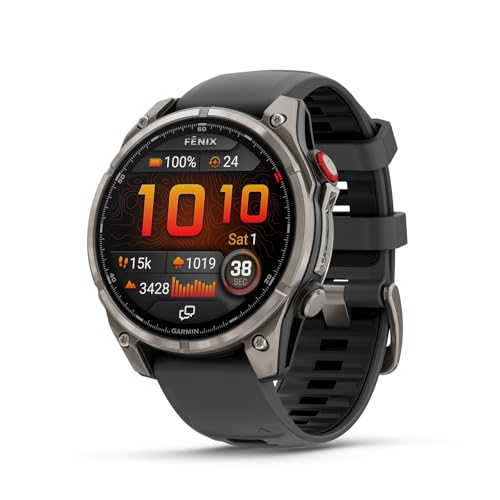
Garmin Fenix 8 Pro AMOLED (47mm)
47mm Pro model with LTE + two-way satellite messaging, 1.4-inch AMOLED display, titanium bezel, sapphire lens, dive support, and full multisport + mapping features.
21% Off
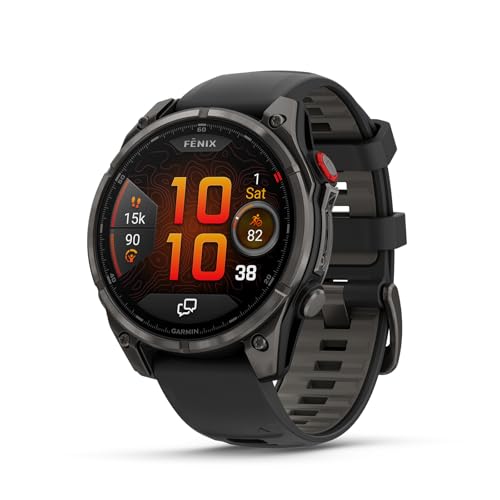
Garmin Fenix 8 Pro AMOLED (51mm)
51mm Pro model with larger battery, LTE + satellite connectivity, 1.4-inch AMOLED display, titanium bezel, sapphire lens, and advanced training + navigation tools.


Join the conversation. A free account lets you comment, reply and say how updates are running.
Sign up freeSign in
I was hoping the Siri working again with this update on fenix 8 but no. It´s quiet since ios 26 and the volume is not the issue. There is a thread on the official forum stating the same issue. Where is the fix Garmin?
If I go to the phone assistant on my Fenix 8 it triggers siri on my phone and I hear the voice back on the watch – this is with the new update too – also able to send txt msg via siri too and read back msg ( though I can just read them too )
nice, then my microphone is dying. when I take a voice note it´s much quieter now in comparison to my first voice note. I play them both with same speaker volume. did try the “vibrate” feature to get rid of water but doesn´t help.
Before the update, I could quickly access the last option in the post-run menu by pressing the Up button, it would wrap around to the bottom. After the update, it no longer does that and just stays at the top, which means I now need to press multiple buttons to reach the last item. It’s a small change, but it makes navigation less efficient.