

Garmin appears to be expanding its wellness ecosystem with additional behaviors, health metrics, and contextual insights within the Lifestyle Logging and Health Status sections of Garmin Connect. The updates suggest a continued effort to give users a more complete view of how daily habits may influence recovery and overall well-being.

Lifestyle Logging to Cover More Behaviors
The Lifestyle Logging feature will continue to expand, incorporating a wider range of real-world habits and environmental factors. New behavior categories appear to include both everyday routines and specific health contexts.
- Daily habits: caffeine, alcohol, hydration, meal timing, sleep aids, stretching, journaling
- Health context: illness, injury, migraines, breastfeeding, pregnancy, caregiving
- Environmental factors: sunlight exposure, humidifier use, air quality, pets in bedroom
- Treatments & recovery: massage, acupuncture, physical therapy, compression therapy, cold showers or baths
Each behavior may be logged with a simple “Yes” or “No” entry, allowing Garmin Connect to associate those habits with nightly HRV, stress, and sleep score data. Over time, the system could highlight which routines have a positive or negative correlation with recovery.
Health Status to Become More Proactive
Garmin’s Health Status feature appears to be moving toward a more adaptive and learning-based system. Rather than simply showing whether metrics fall inside or outside normal ranges, Health Status now seems focused on understanding patterns over time and using that knowledge to guide the user more proactively.
It continues to track familiar metrics such as heart rate, breathing rate, HRV, stress, Pulse Ox, and skin-temperature variation during sleep. What’s changing is how those readings are interpreted. Garmin Connect now appears to spend several weeks learning each user’s baseline, building a personalized model of “typical ranges” for every metric. Once that calibration phase is complete, the system can detect when a value moves meaningfully away from its usual pattern and surface that change in context — rather than treating it as an isolated reading.
That learning foundation sets the stage for Health Status to become more anticipatory. With this Garmin will offer brief explanations or recommendations when trends shift, helping users understand not just what changed, but why. Over time, this approach could link physiological changes with other factors already logged in the app, forming a more proactive health guidance layer within the broader Garmin ecosystem.
Looking Ahead
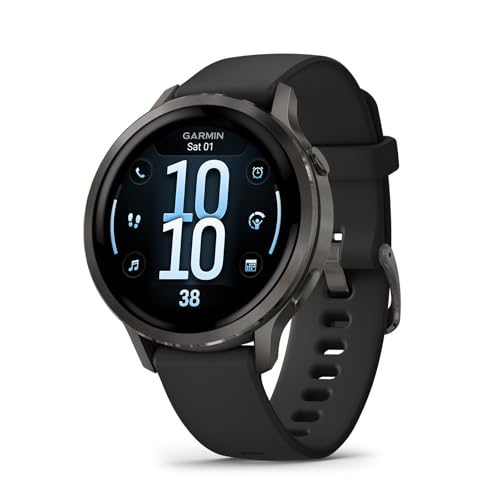
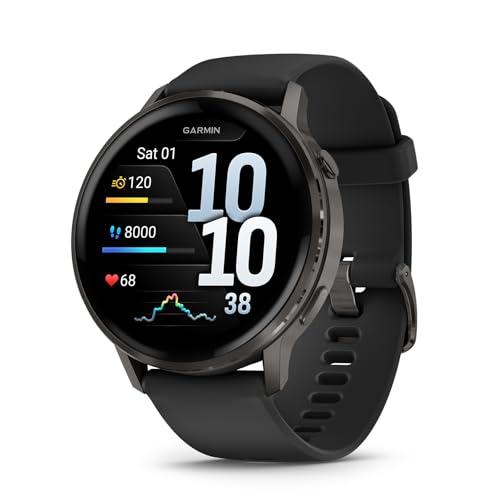
Garmin appears to be deepening its approach to wellness tracking by connecting behavioral inputs with physiological data. The combination of Lifestyle Logging and Health Status is likely to expand further, adding new behaviors, broader data correlations, and more personalized insights as the platform evolves. Currently, this feature is available to all Garmin users through the Garmin Connect App, but it is exclusive to the Venu 4 on device. More devices supported will surely be supported soon.


Btw. I can see that most of them are already added, but it looks like I still can’t select at what time I had dinner. I am curious to see if it be possible to select at what time was the dinner and if for example 8pm vs 10pm dinner would have an effect on sleep as I often eat dinners quite late.. hopefully they will be able to add that customization in the future
Set up custom dinner options for a set of times
Yeah, that’s kind of what I did. I have as quantitive behaviour with number 1 being diner before 8pm, number 2 – 8-10pm and number 3 for after 10pm. But it would be nicer if we could select the exact time in the future and track how it affects sleep.
don’t think exact time would work as it would be too varied – remember they are looking for correlation between something specific vs your sleep score for example – so always adjusting time wouldn’t make it consistent.
Similarly I think you are going to have an issue re your approach and should rather set specific time i.e .one custom for each hour slot i.e. 7pm, 8pm, 9pm, 10pm. Personally I just have a late meal option and only tick that when its a late meal i.e. after 9. Assuming that does end up generating driver info I can always go back and refine later.
Yes! A very welcome addition with expanding on it! I’ve been using it for a week or two and the added hour of meal, and many of the other things mentioned are a great addition! Thanks for sharing!